How to Set Custom Price Rounding Rules in Gelacy
You can achieve this with our app by setting Rounding rules for your desired currencies.
Here's how:
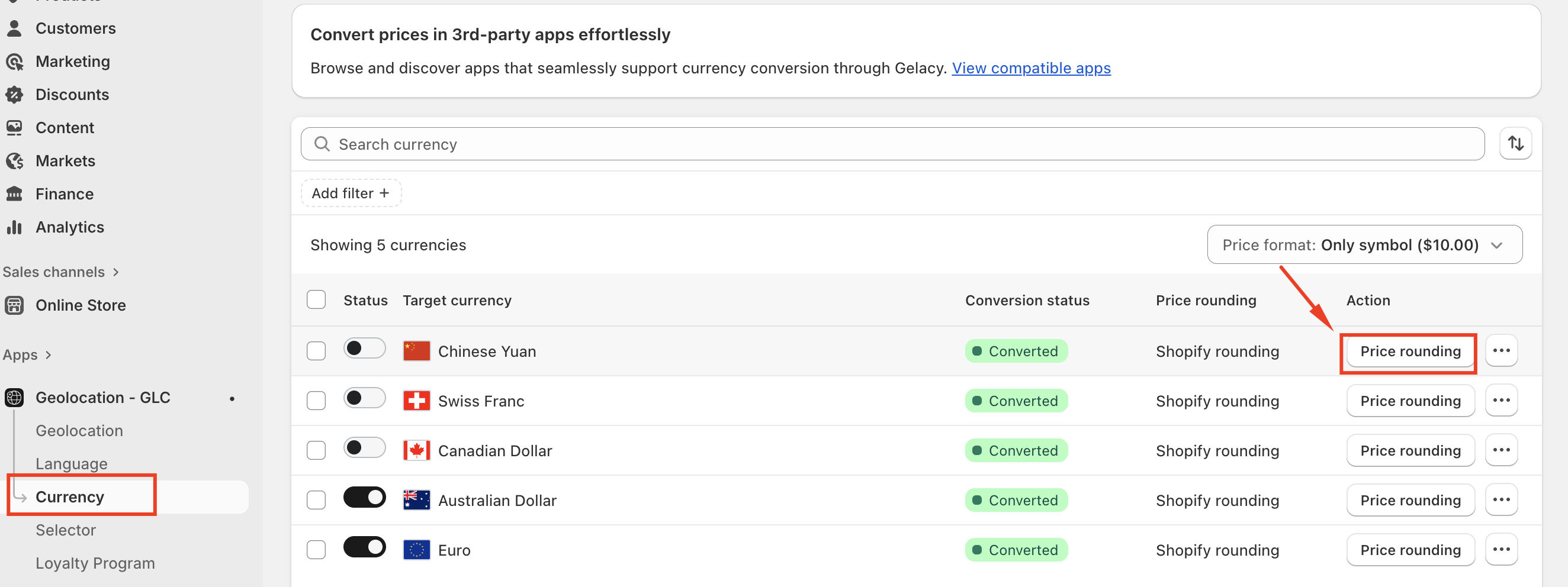
Step 1: Select your desired currency, click on the "Price rounding."
Step 2: Choose 'Custom' and set the value to 99.
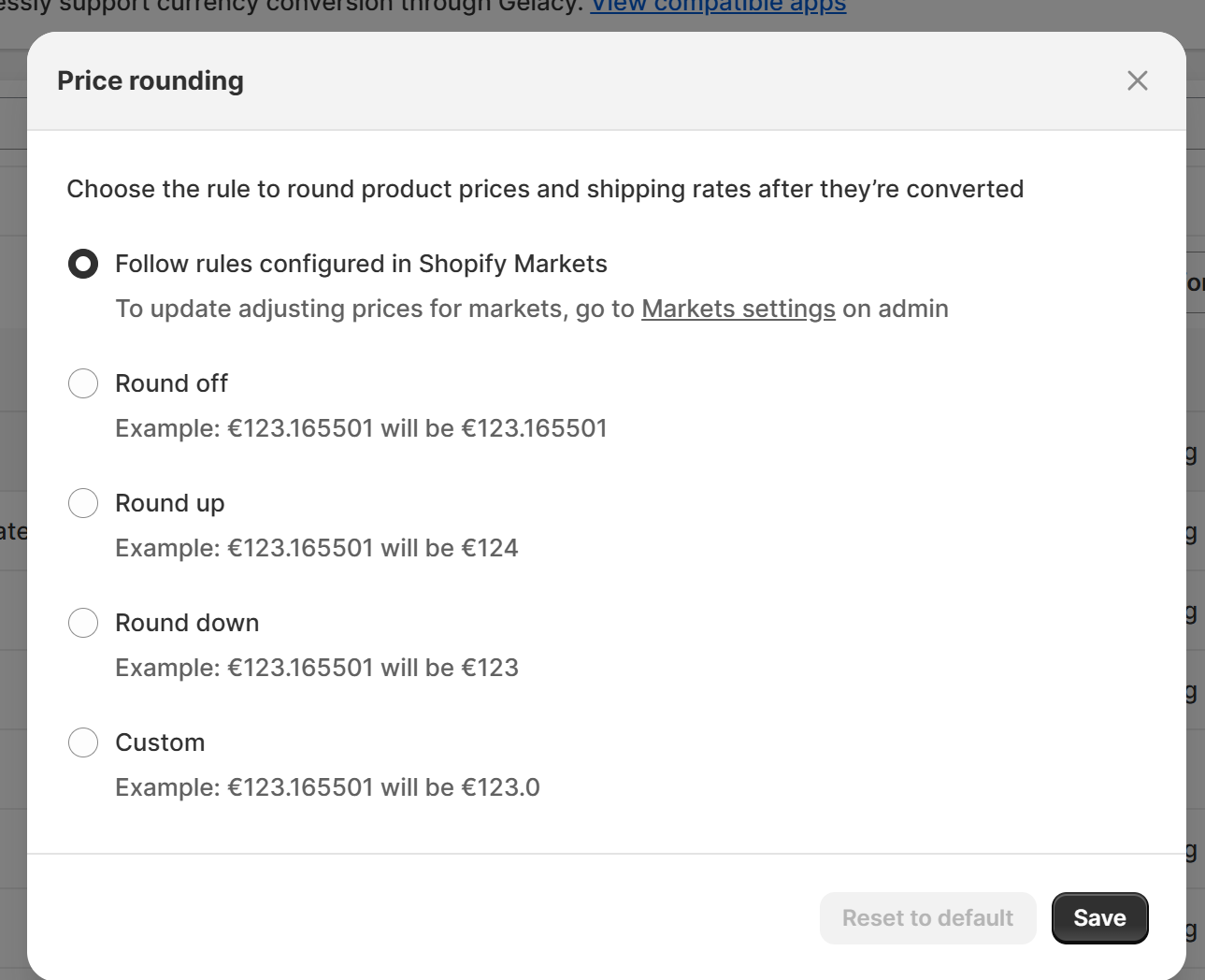
Step 3: Save the settings, and return to your storefront to review the result.
Repeat the above steps for any additional desired currencies.
Should you need any further information, please do not hesitate to contact us directly at [email protected]