How to Create and Manage Geo Promotions with Localized Messaging
Geo Promotion allows you to deliver highly relevant, localized content to users based on their country or region. By tailoring promotions to specific locations, businesses can increase engagement, improve conversion rates, and provide a more personalized experience for their audience.
What Is a Geo Promotion?
A Geo Promotion is a location-based campaign that displays customized promotional content to users depending on their country or region. This is especially useful for global businesses that want to highlight region-specific offers, languages, or currencies without creating multiple separate campaigns.
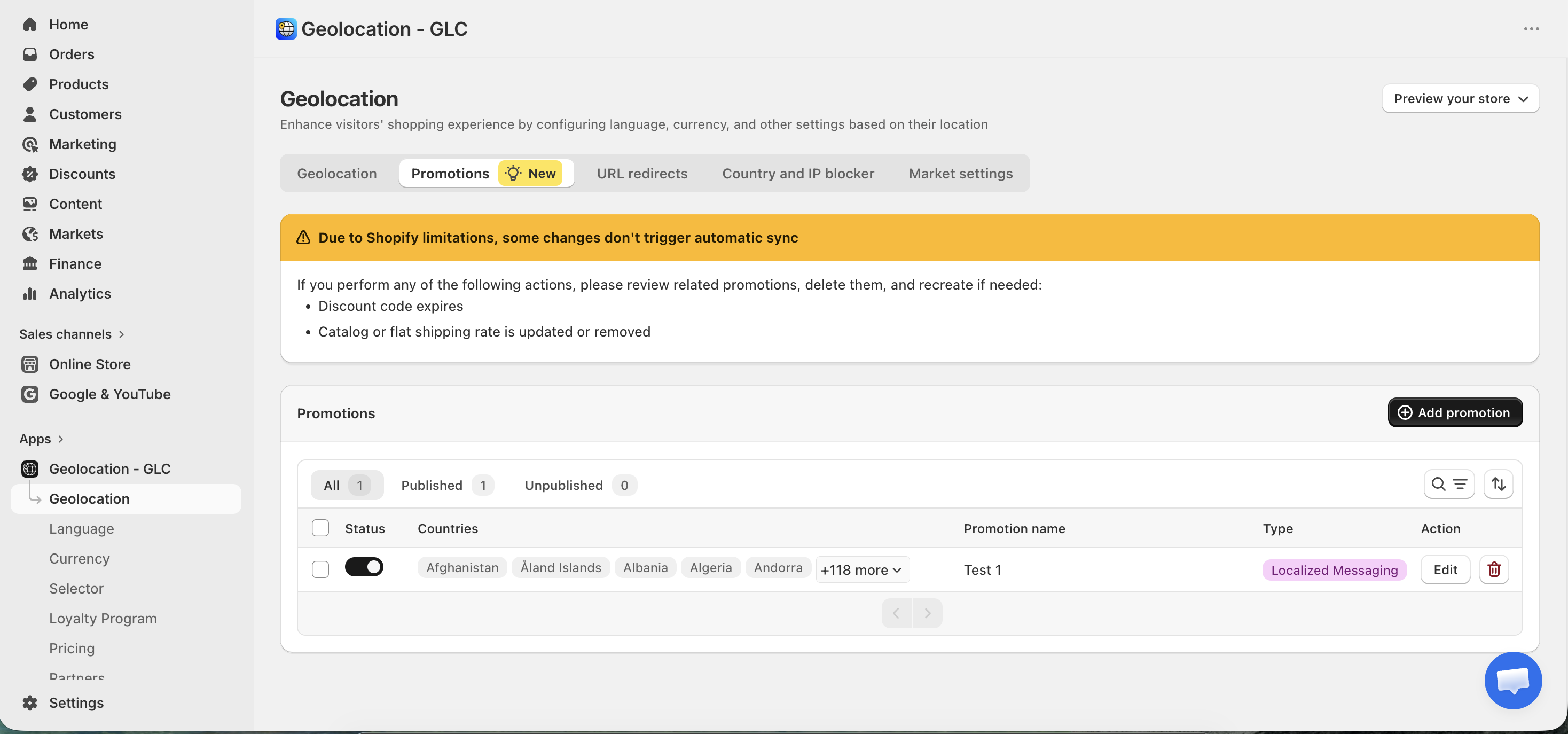
Step 1: Create a New Promotion
- Start by clicking add promotion.
- You will first be asked to enter a Promotion name.
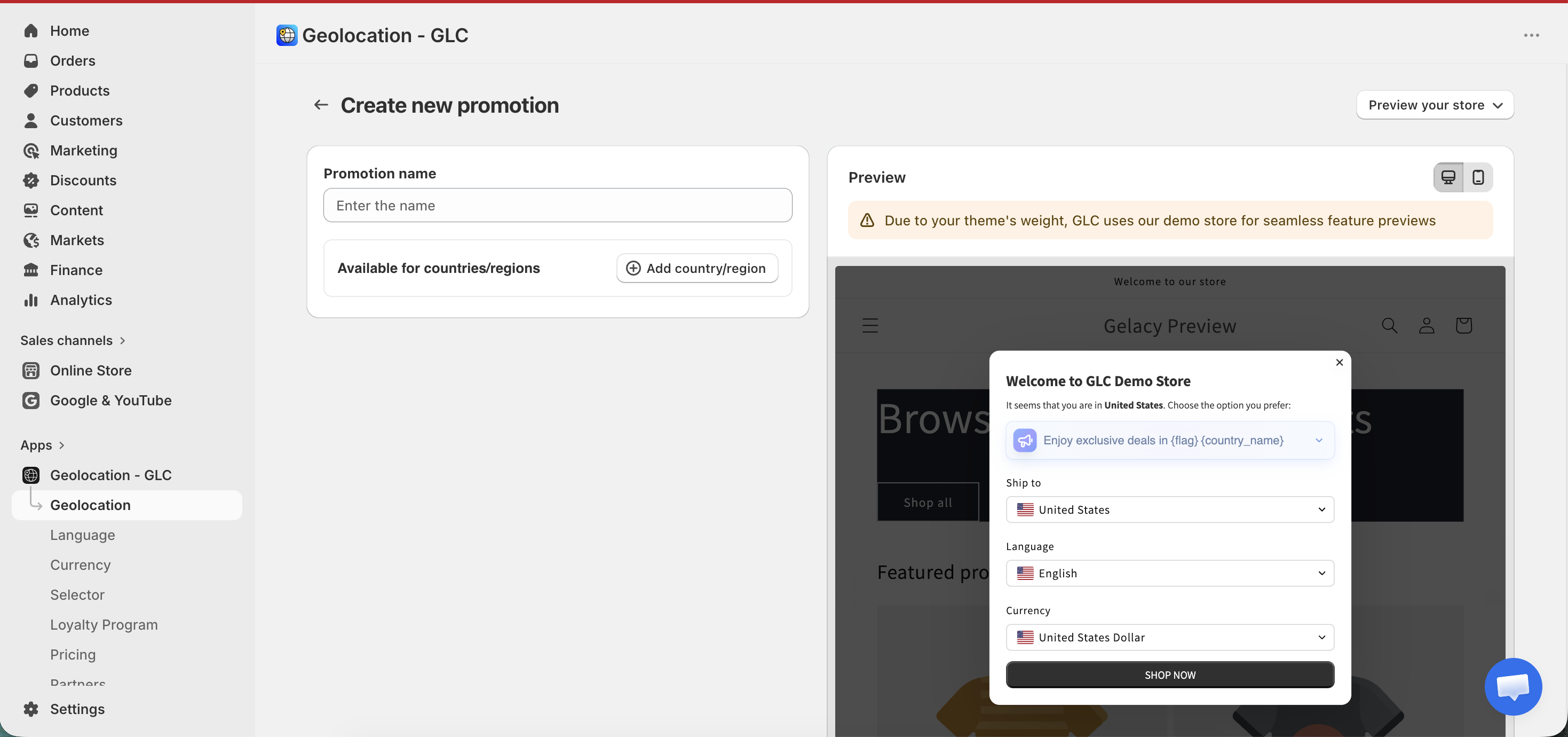
Step 2: Select Available Countries or Regions
Under Available for countries/regions, click Add country/region and select the location where the promotion should be displayed.
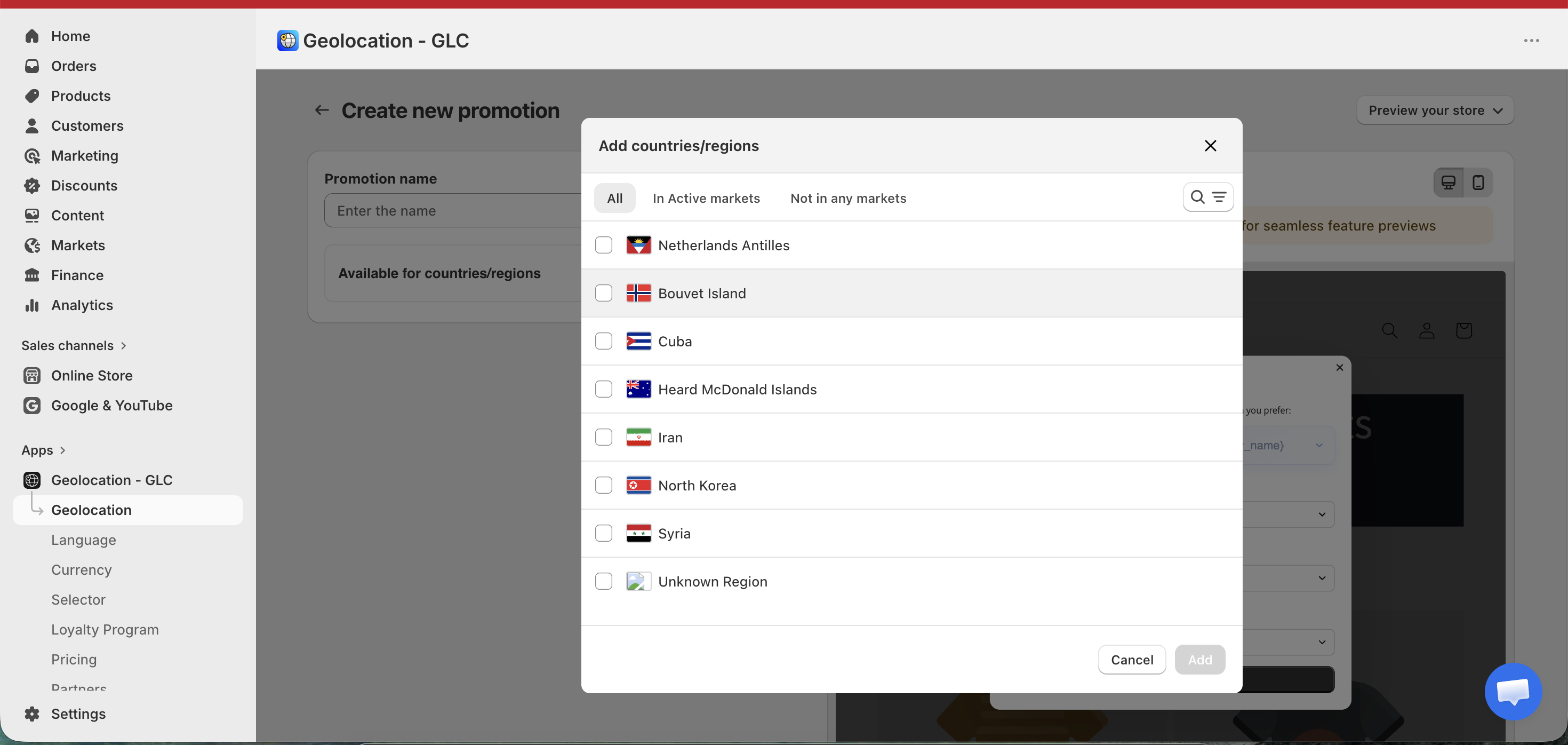
For example, if you select France, only users accessing your platform from France will see this promotion. You can add or remove countries at any time, giving you full flexibility over your campaign’s reach.
Step 3: Choose Promotion Type
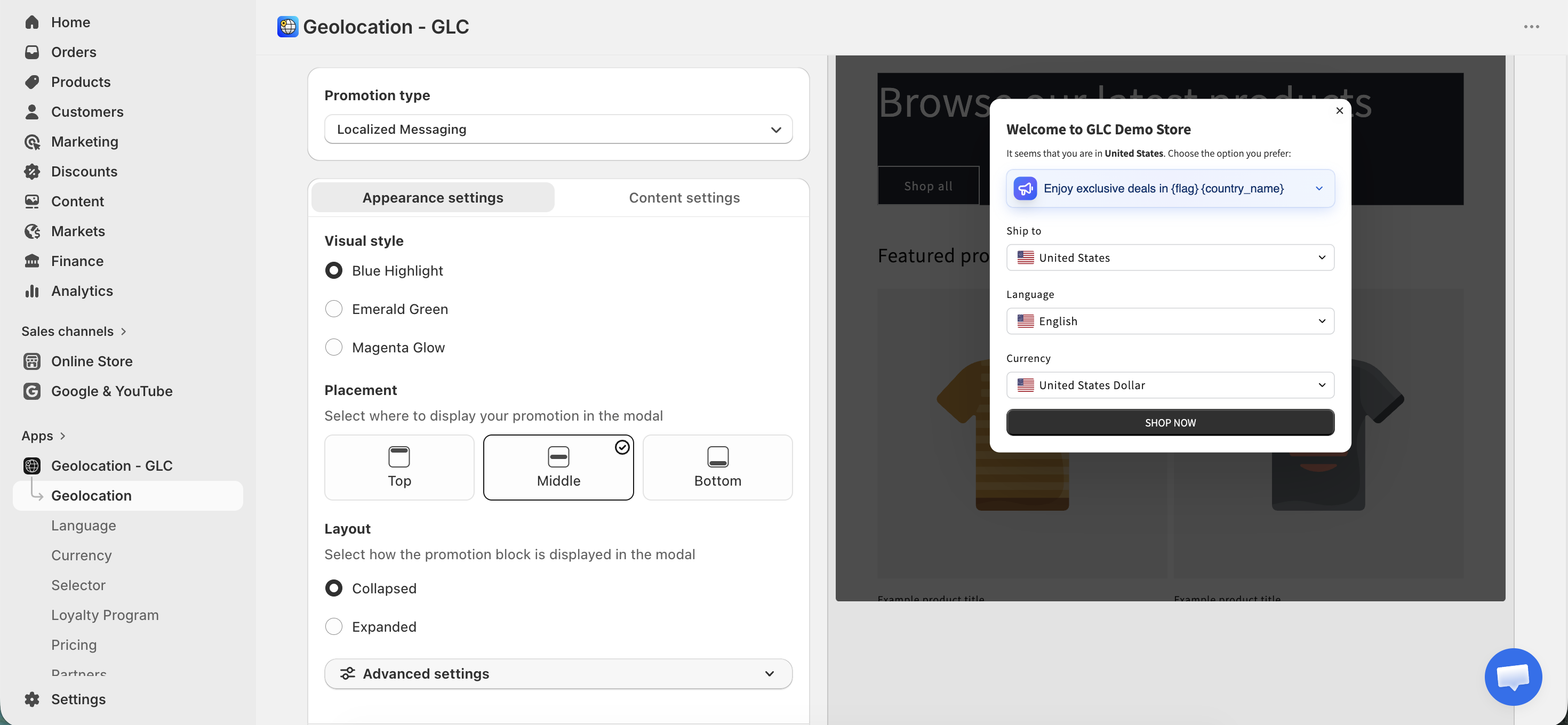
Next, select the Promotion type. For location-based campaigns, choose Localized Messaging. This option enables dynamic content that automatically adapts to the user’s country, language, and currency.
Step 4: Configure Appearance and Content Settings
If you have questions or need help setting up or managing Geo Promotion, feel free to contact our support team at [email protected]