I cannot find the content created in Theme Editor to translate in your app
If you want to edit texts built with Rich Text in your theme, you need to do it inside our app under: Translations → Theme → Templates
Important Clarification
In some cases, there might be a misunderstanding:
You cannot find and edit content directly in the Pages, Products, or Collections sections of our app.
Instead, please check the Theme section to determine what type of content it actually is. Sometimes, it might be Rich Text.
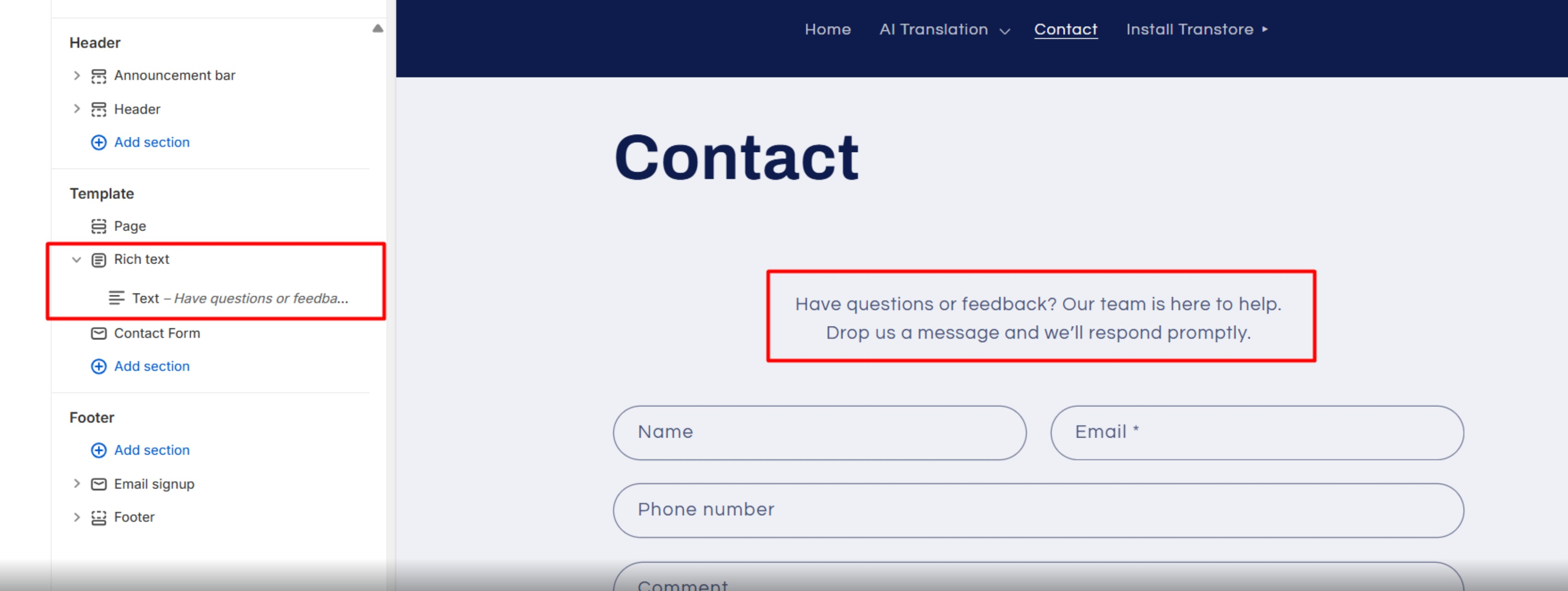
In that case, edits should be made under: Translations → Theme → Templates
Where to Find This Content
This is where all content built with Rich Text, Collapsible Content, Theme-built blocks (like Image with Text) is stored.
Important Notes
The Templates section can contain a lot of content, so it might lag sometimes.
To quickly find what you need, use your browser’s search:
- Windows: Ctrl + F
- Mac: Cmd + F
If you still cannot find or edit the content, please send us at [email protected] the exact text and grant store access. We’ll be happy to assist you.