Translate images
If your storefront images contain text in your default language and you want to show different images for each target language, GLC's image translation feature allows you to replace images per language easily.
This is useful for banners, promotional images, collection visuals, or any image that includes localized text.
Image translation works on your storefront only. Shopify doesn't allow apps to change images on the checkout page, so customers will see your original images there, such as product images in the order summary.
I. What Images Can Be Translated?
In GLC, images are organized into three tabs:
- Products: Images used on your products.
- Collections: Images used on your collections.
- Files: Homepage banners, logos, and other site images. You can find these images in Shopify Admin → Content → Files.
Image requirements:
- Supported formats: .webp, .png, .jpg, .gif
- Maximum size: 5 MB per image
- Only one target image per original image (you cannot upload multiple images for the same original image)
II. Step-by-Step: How to Replace Images by Language
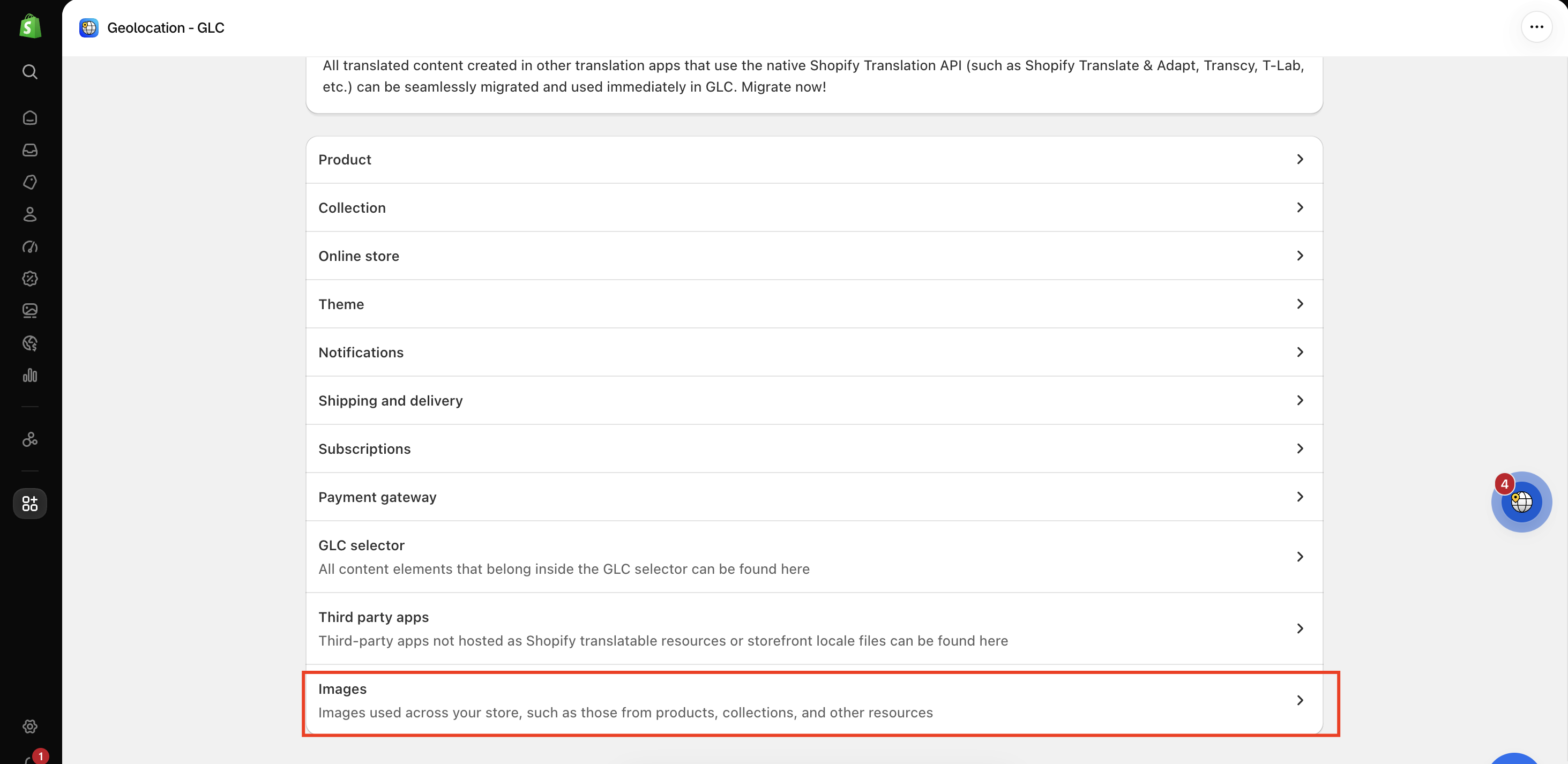
Step 1: Go to Images
Go to Language, click Manage translation next to the target language, and select Images.
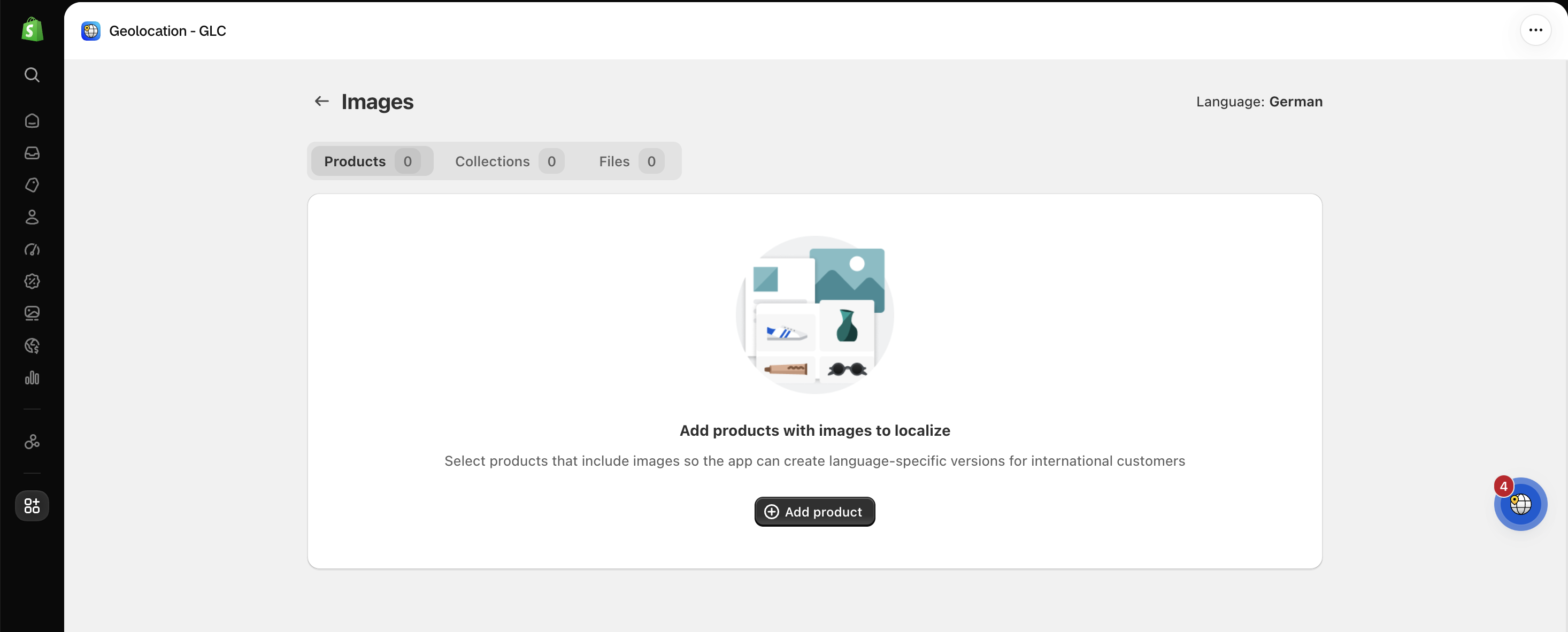
Step 2: Add the items you want to localize
Select the Products, Collections, or Files tab, then click Add product, Add collection, or Add file. Choose the items that include images and click Add.
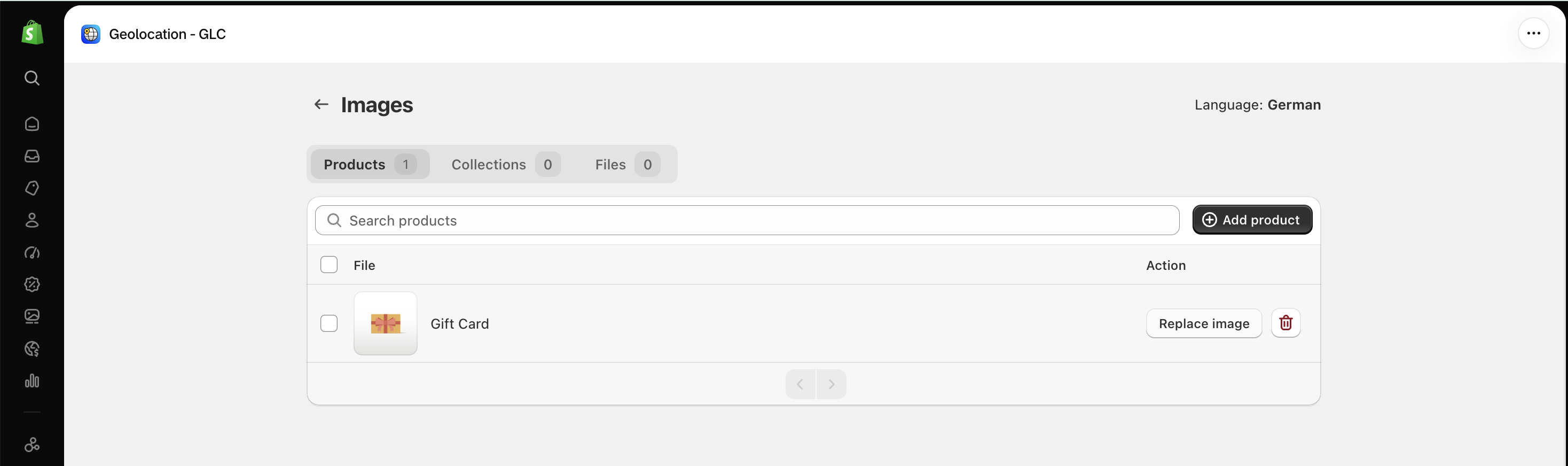
Step 3: Replace the image
Click Replace image next to the item you want to replace. Use the search bar to find items faster.
Step 4: Upload the target image
Under Target language, click Add, choose an image from your device, and click Upload.
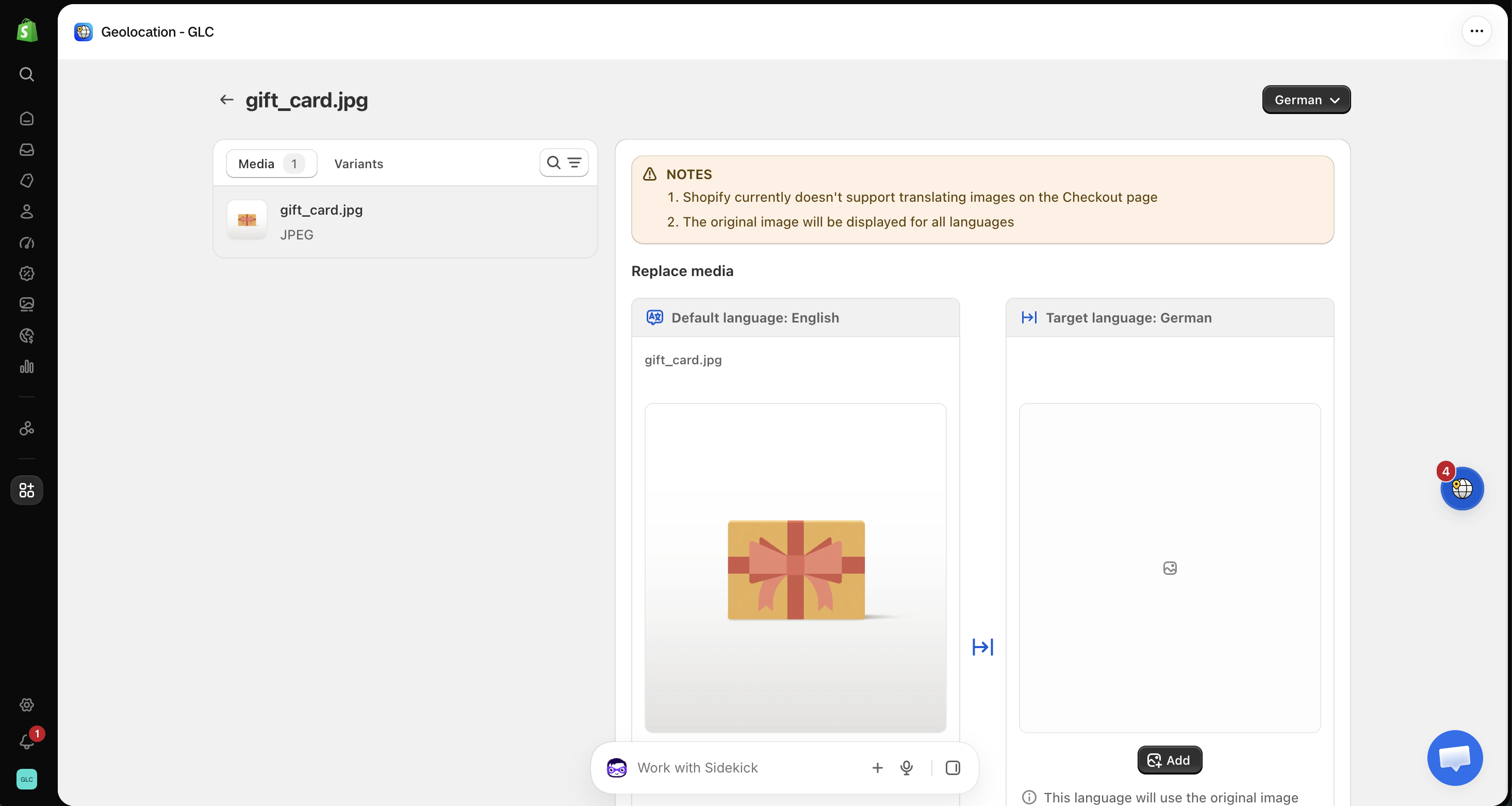
The image is automatically saved after you upload it. You can double-check how it displays on the storefront by switching to the target language. To replace images for another language, switch the language at the top right of the page.
Remove a replaced image
If you want to remove a replaced image, click the delete icon next to the item and confirm with Remove. Please note that any localized image versions for this item will be removed from your store, and this action can't be undone.
Important Notes
- If no target image is added for a language, the original image will continue to display on the storefront.
- Image layout and positioning are controlled by your theme.
If you can't find the image you want to replace, or the new image doesn't show on your storefront, email us at [email protected] with the page URL and target language. We'll help you check it.