Content is missing from the translation editor
Text appears on your storefront, but you cannot find it in Manage translation.
1. Check where the content was created
Open Language → Manage translation for the target language and review the matching resource. Text added through the Theme Editor is usually under Theme → Templates, including Rich text, Collapsible content, and Image with text blocks.
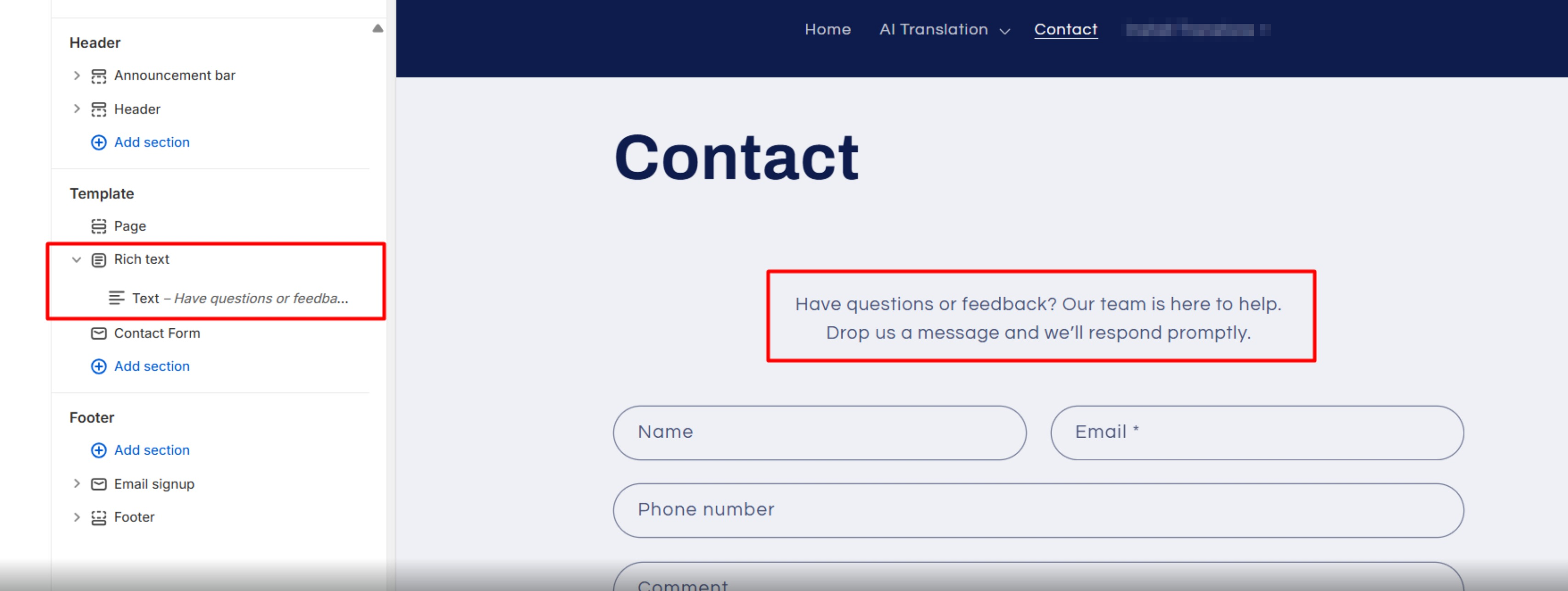
Use Ctrl + F on Windows or Cmd + F on Mac to search the loaded content. See Edit translations for other resource locations.
2. Check Custom Liquid content
Shopify does not expose raw text inside a Custom Liquid block as an editable translation resource. You can use one of these approaches.
- Let GLC's Auto Translation translate visible text on the storefront. The target language must be published and the app embed enabled.
- Move the text into a supported theme setting, such as a Rich text block, so its translation can be saved through Theme → Templates.
- Ask your theme developer to provide each language version in Liquid code.
For a Custom Liquid block, a developer can use the active storefront language, for example.
{% case localization.language.iso_code %}
  {% when 'de' %}
    <p>Willkommen in unserem Shop</p>
  {% when 'es' %}
    <p>Bienvenido a nuestra tienda</p>
  {% else %}
    <p>Welcome to our store</p>
{% endcase %}
3. Check third-party content
Review Third party apps and the app's own translation settings. Some app text can be translated on the storefront but is unavailable for manual editing. See Can GLC translate third-party app content?.
If you still cannot locate the text, send its exact wording, page URL, target language, and screenshot to [email protected]. We'll help you find where it's stored.