The Geolocation modal does not appear
The recommendation modal does not appear when a visitor opens your storefront.
1. Test without a saved preference
Open a new private window and visit the storefront. GLC remembers selections for 30 days, so a previous choice can affect whether the modal appears in your regular browser.
2. Enable the recommendation modal
- Open GLC → Geolocation and enable the app embed if prompted.
- Turn on Geolocation.
- Under Geolocation preference, select Show a recommendation modal and click Save.
Automatic switching applies enabled adaptations directly. For the available modes, see Set up geolocation.
3. Check the display delay
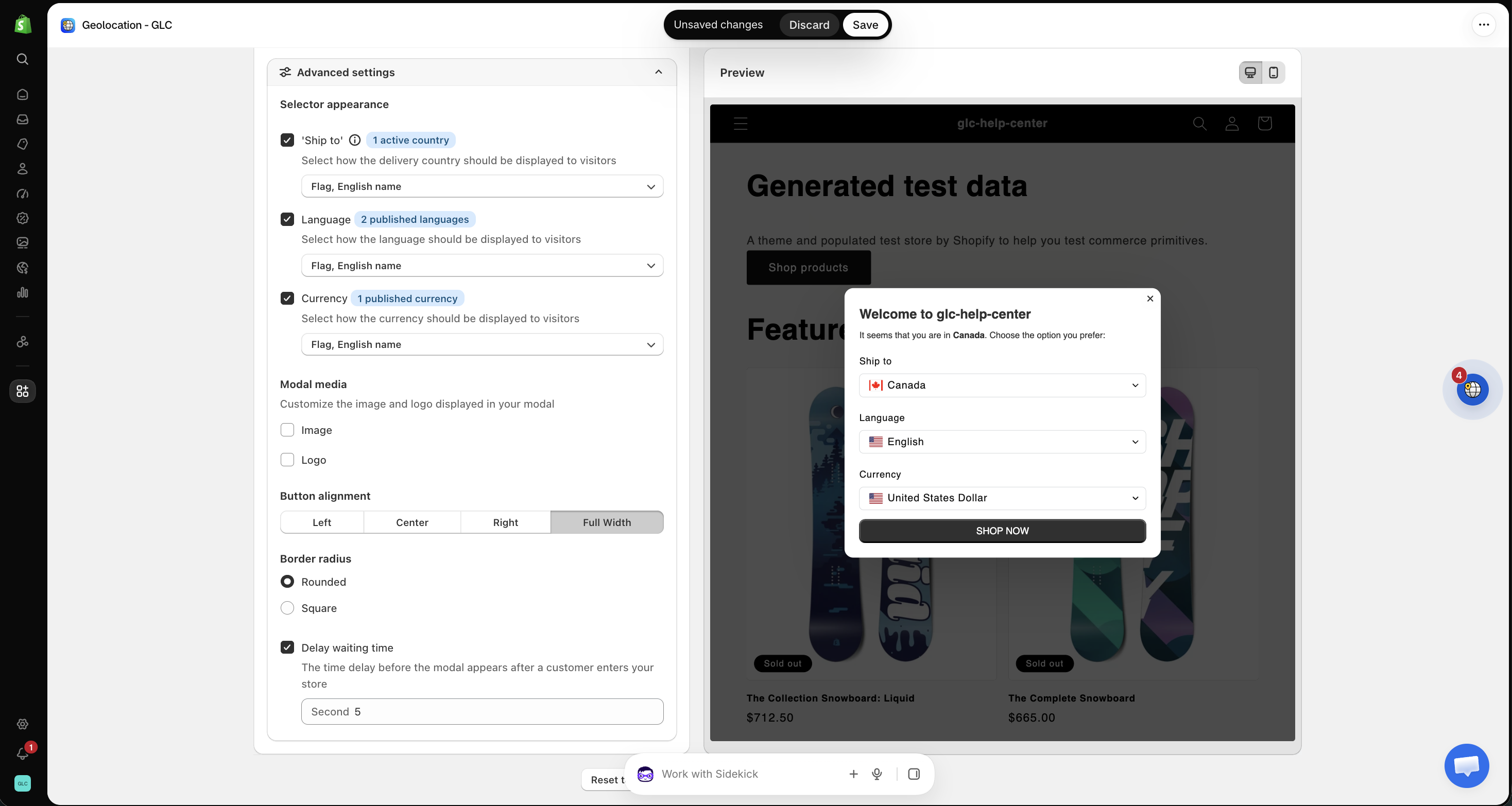
In the modal's Appearance settings → Advanced settings, check Delay waiting time. Stay on the test page for at least the configured number of seconds, or reduce the value and save.
If the modal still does not appear in a fresh session, send your storefront URL, test country, and Geolocation settings to [email protected]. We'll take a look for you.