Does your app translate Order, Email notifications?
Gelacy supports translating order and email notifications that are sent directly from Shopify. This allows you to deliver a fully localized post-purchase experience to your customers.
Please note that notifications generated by third-party apps are not supported at this time.
How to Translate Notifications
Follow the steps below to translate Shopify notifications into your desired language:
Step 1: Open Manage Translations
Click Manage translations for the target language you want to edit.
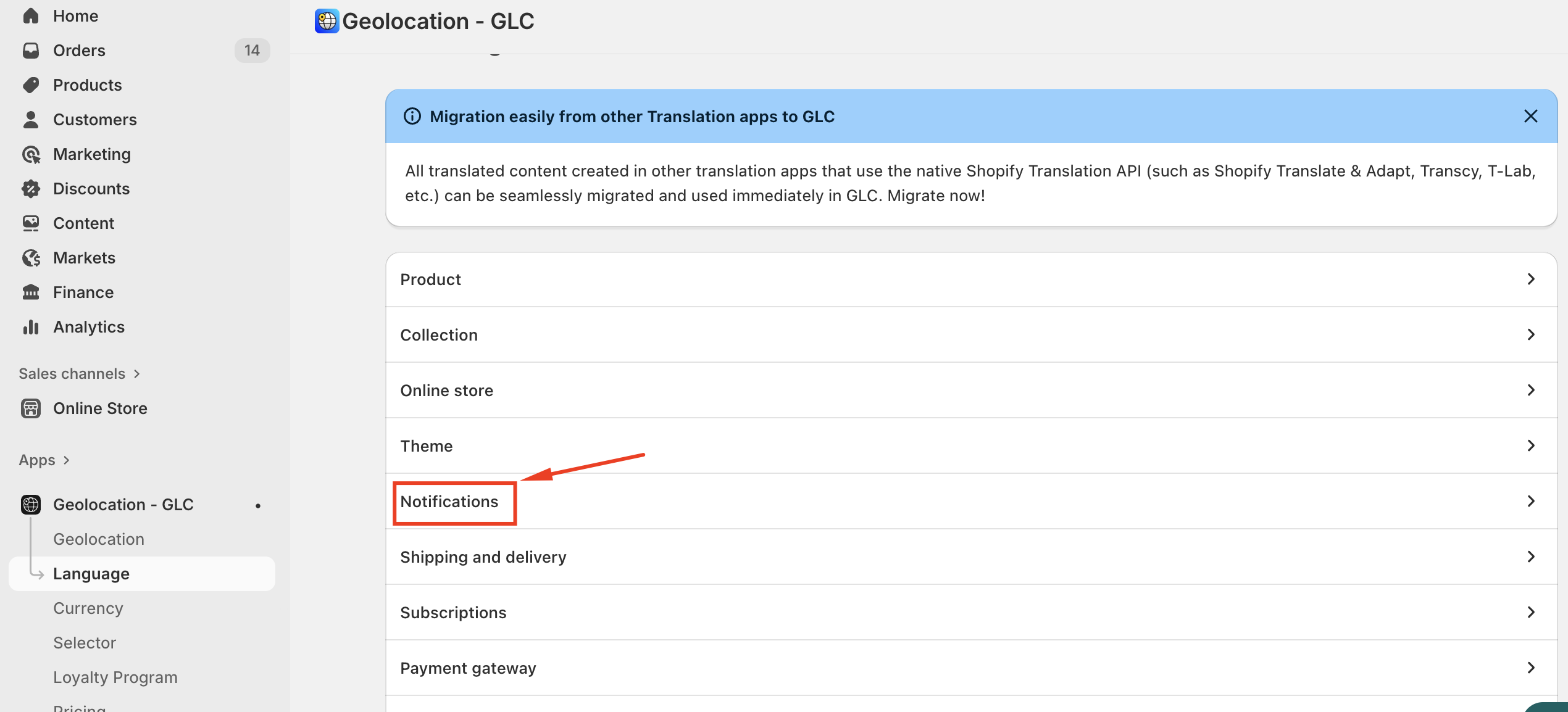
Step 2: Navigate to Notifications
Navigate to Notifications.
Step 3: View Notification Details
Click View details.
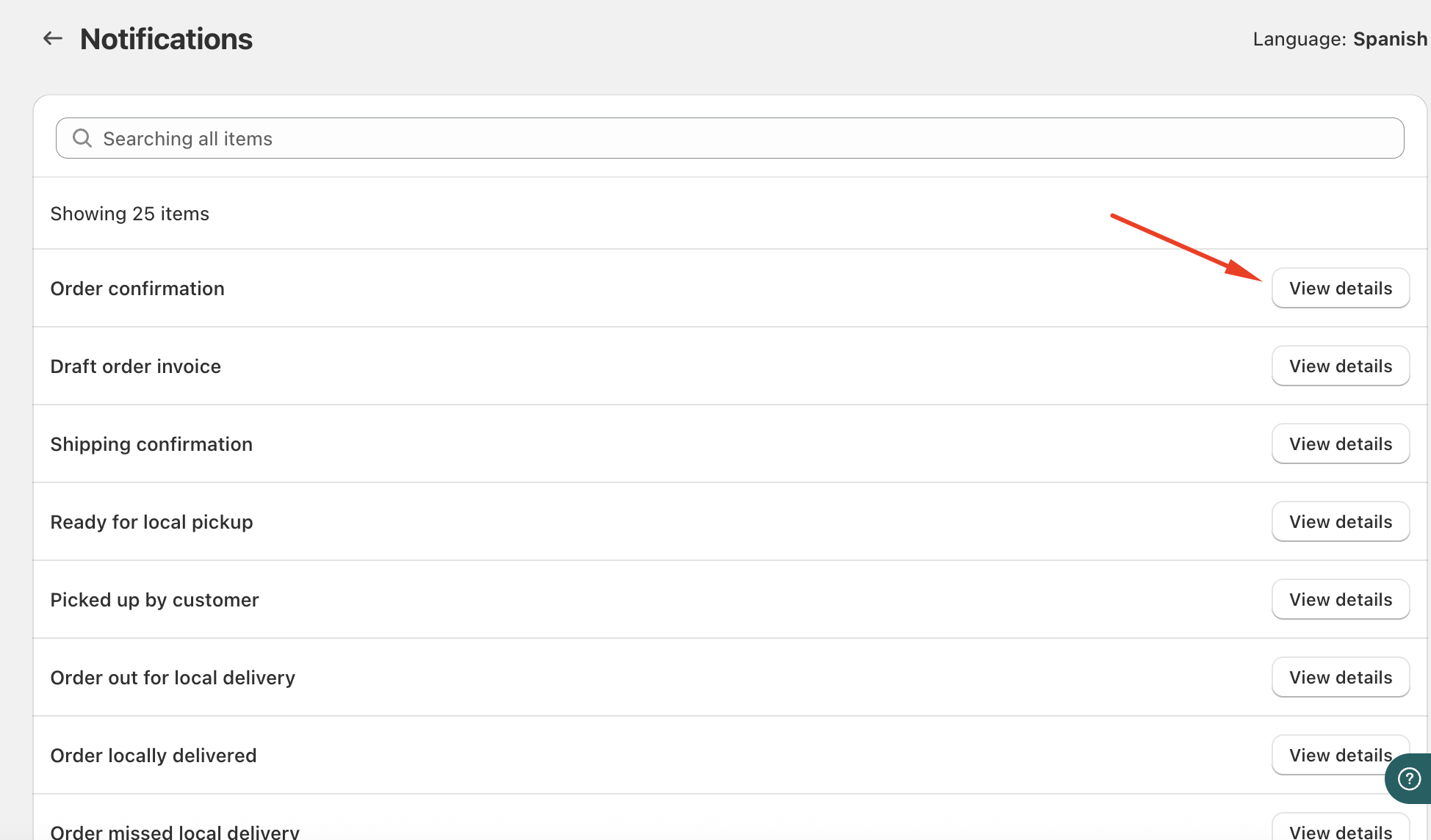
Step 4: Select a Notification
Select the notification you want to translate.
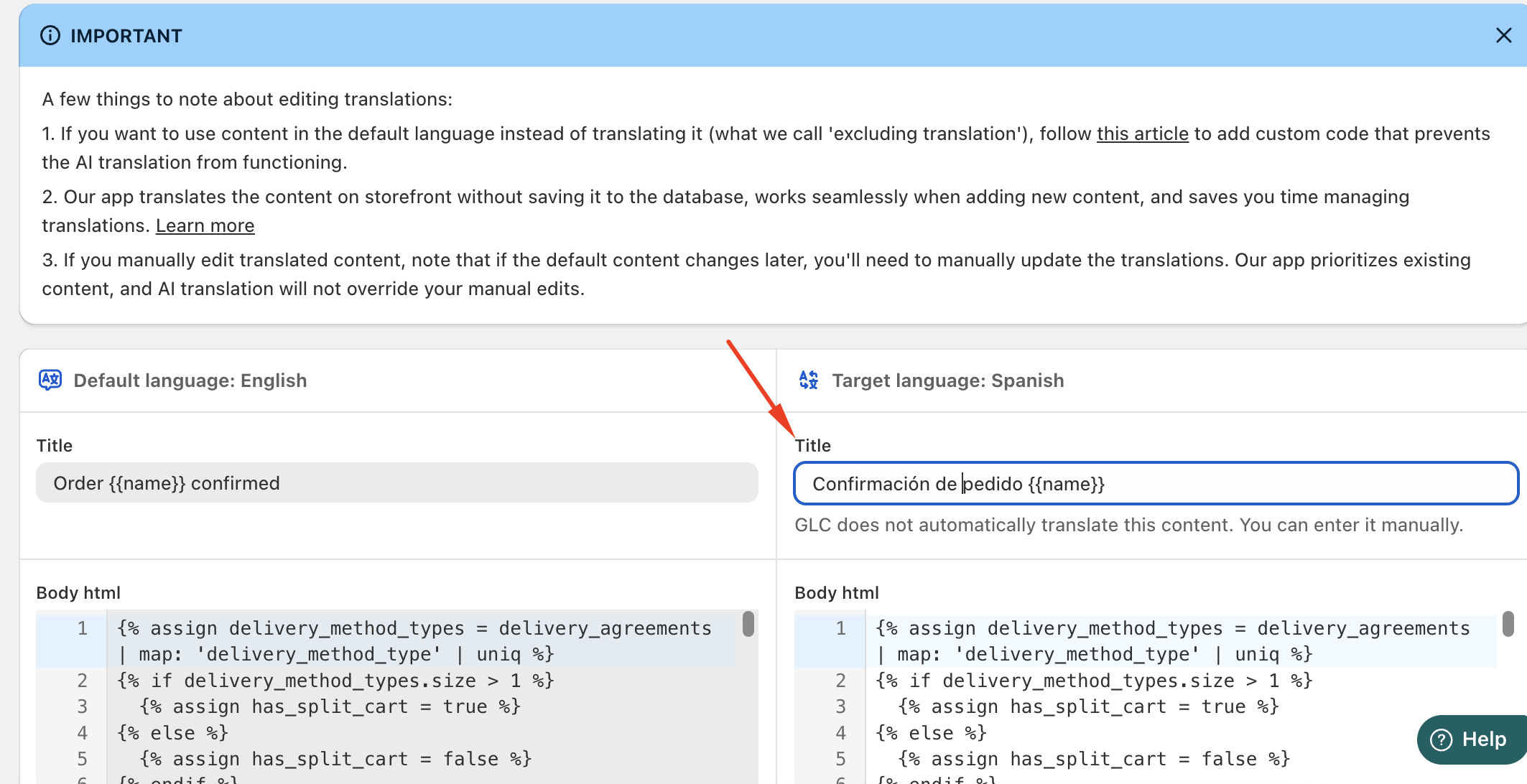
Step 5: Add or Update Translations
Add or update the translated content and save your changes.
If you need further guidance or have any questions, don't hesitate to reach out to our support team through email us at [email protected]