Why can't I preview my store when setting Selector in Geolocation-GLC?
When setting up your Selector, you might notice that the Preview section shows blank content instead of your actual store. Here's why this happens and how to fix it.
Why is my Selector Preview showing blank content?
If you're customizing your Selector but see empty content in the Preview section like this:
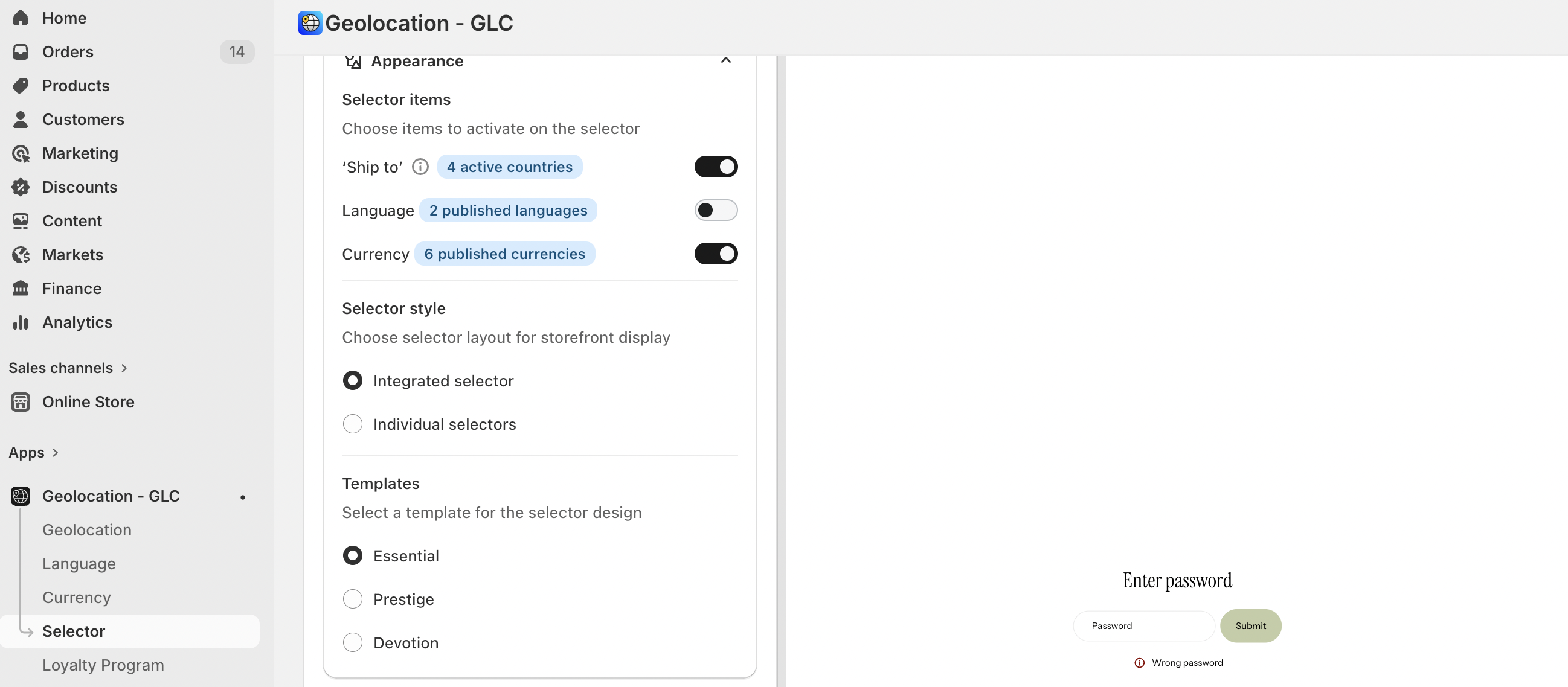
Don't worry! This happens because your store has password protection enabled. Even though the preview looks blank, all your Selector settings and customizations are working perfectly fine. This happens because your store has password protection enabled. Even though the preview looks blank, all your Selector settings and customizations are working perfectly fine.
How can I see my store content in the Preview?
You have two simple options:
Option 1: Temporarily disable password protection
- Go to your Shopify admin.
- Turn off password protection for your store.
- Return to Geolocation-GLC to see the normal preview.
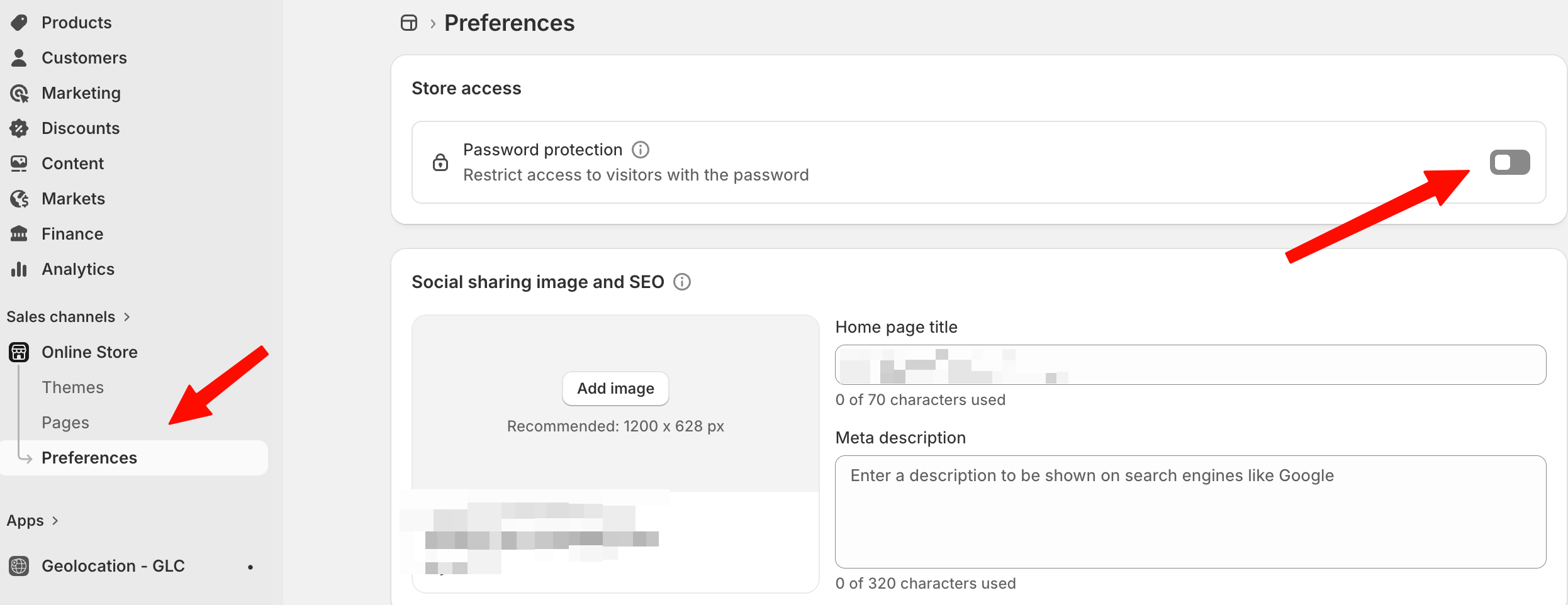
Option 2: Enter your store password directly in the preview
Simply enter your store password when prompted.
Is my Selector still working even with blank preview?
Yes, absolutely! Your Selector setup and all customizations work normally even when the preview shows blank content. The password protection only affects what you can see in the preview - it doesn't impact the actual functionality.
How can I check if my Selector is working properly?
Best way: Go directly to your online store after saving your Selector settings. You'll see everything working perfectly on the actual storefront, regardless of what the preview shows.
If you need further guidance or have any questions, don't hesitate to reach out to our support team through email us at [email protected]