I removed "Tax Included Shipping at Checkout" from the Default language, but it still appears in Target languages
When you delete a translation key, such as include_taxes, from Shopify's default language but still see it in a target language, this happens because Shopify manages translations independently for each language. Changes made in the default language do not automatically apply to other languages.
oaicite:0
How to Fix It
- Navigate to Sales Channels -> Online Store -> Themes.
- Select the theme you want to edit, click the three dots menu, and choose Edit Code.
- Open the locales folder and locate the language file for the target language (e.g.,
de.jsonfor German).
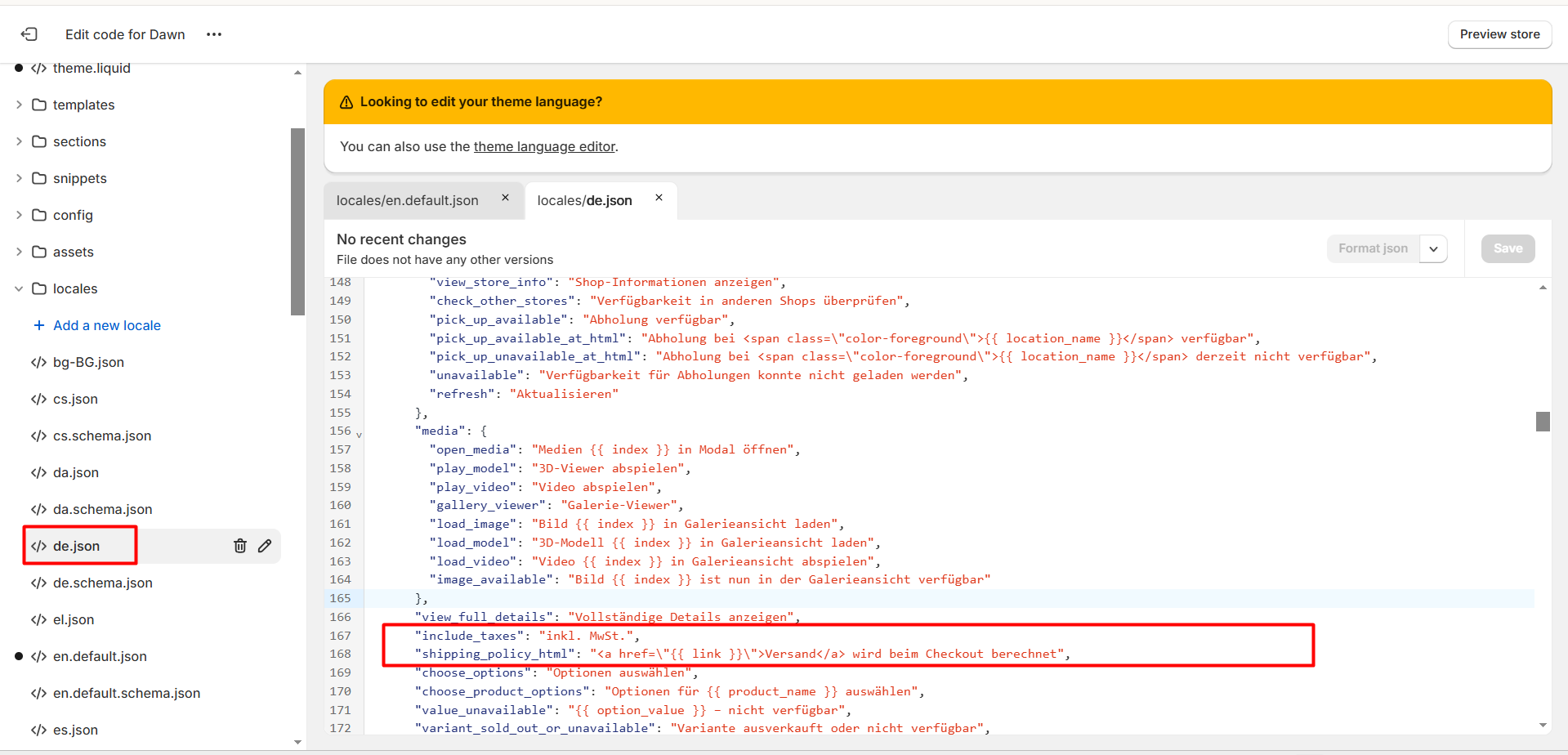
In the target language file, search for the translation key include_taxes, and remove the translation.
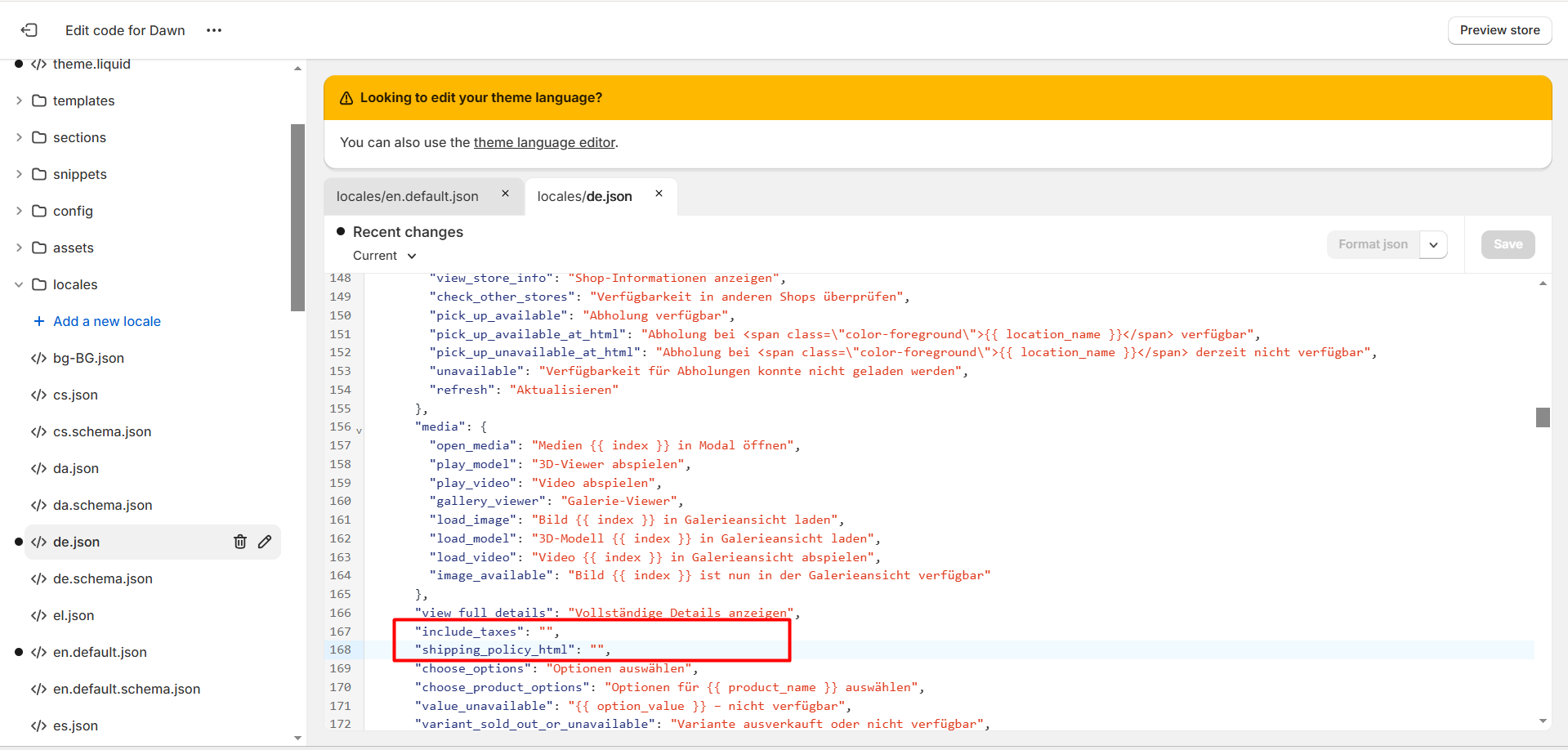
As the result, that content will no longer appear in your storefront.
Should you need any further assistance, please feel free to contact us at [email protected]