Why the currency is not working?
Step 1: Check the Currency Code in Shopify Settings
First, please make sure the currency code is set up correctly in your Shopify admin.
To set up or verify the currency code:
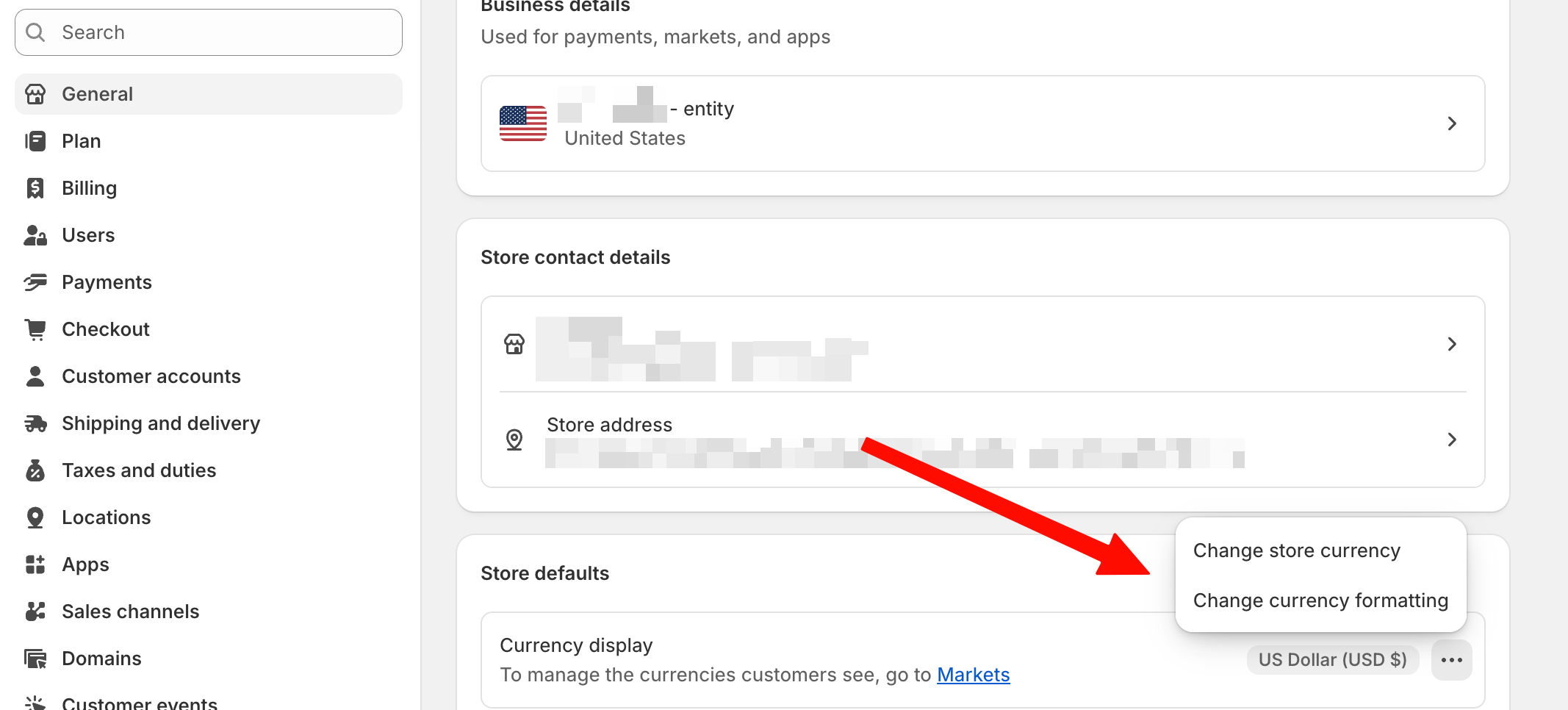
- Go to Settings → General
- Click the three dots (⋯) next to your store details
- Select Change currency formatting
- Review and update the currency code as needed
Step 2: Verify That App Embeds Are Enabled
One of the most common reasons the currency selector doesn't work is that the required app embeds are disabled in your theme settings.
To enable the app embed:
- Navigate to your Shopify admin panel.
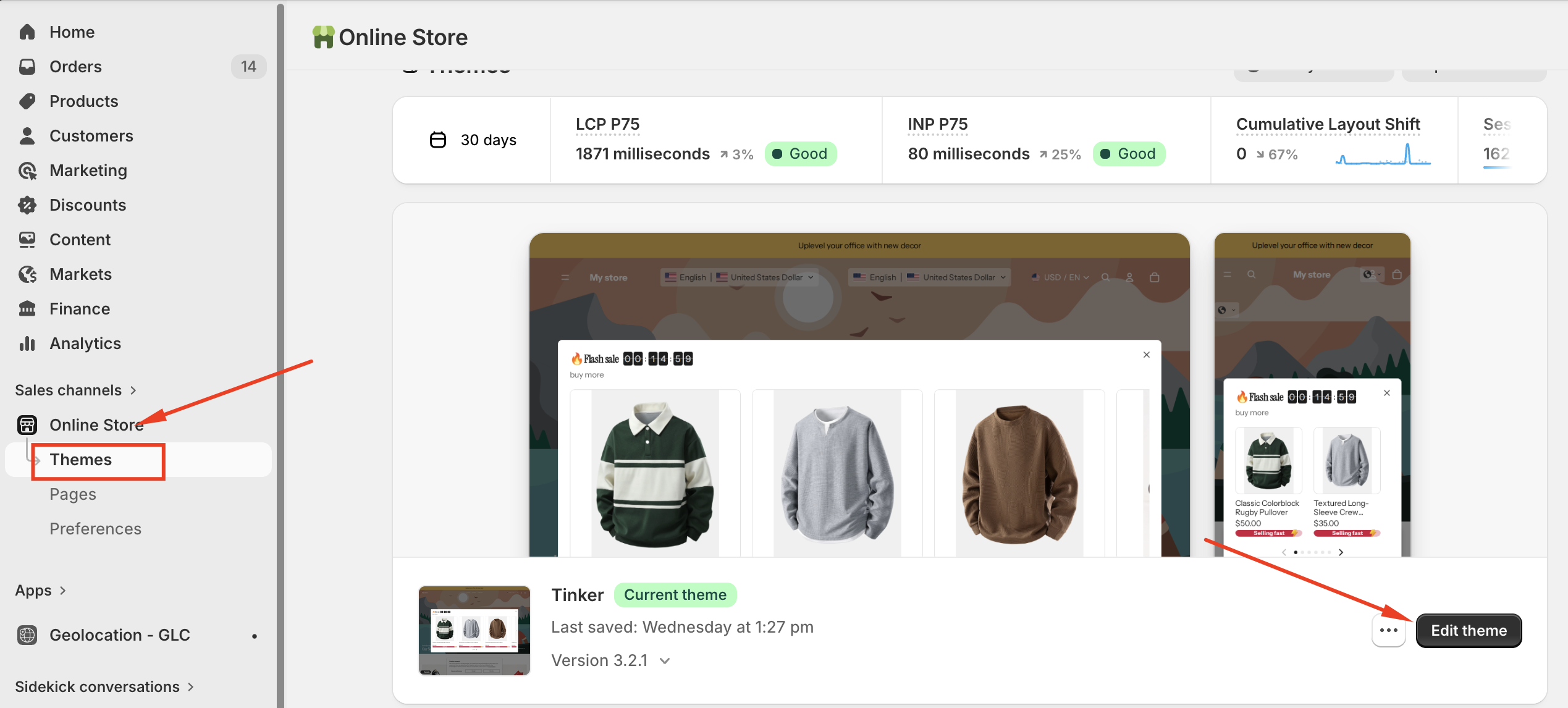
- Go to "Online Store" → "Edit Theme."
- Click "Customize" on your active theme.
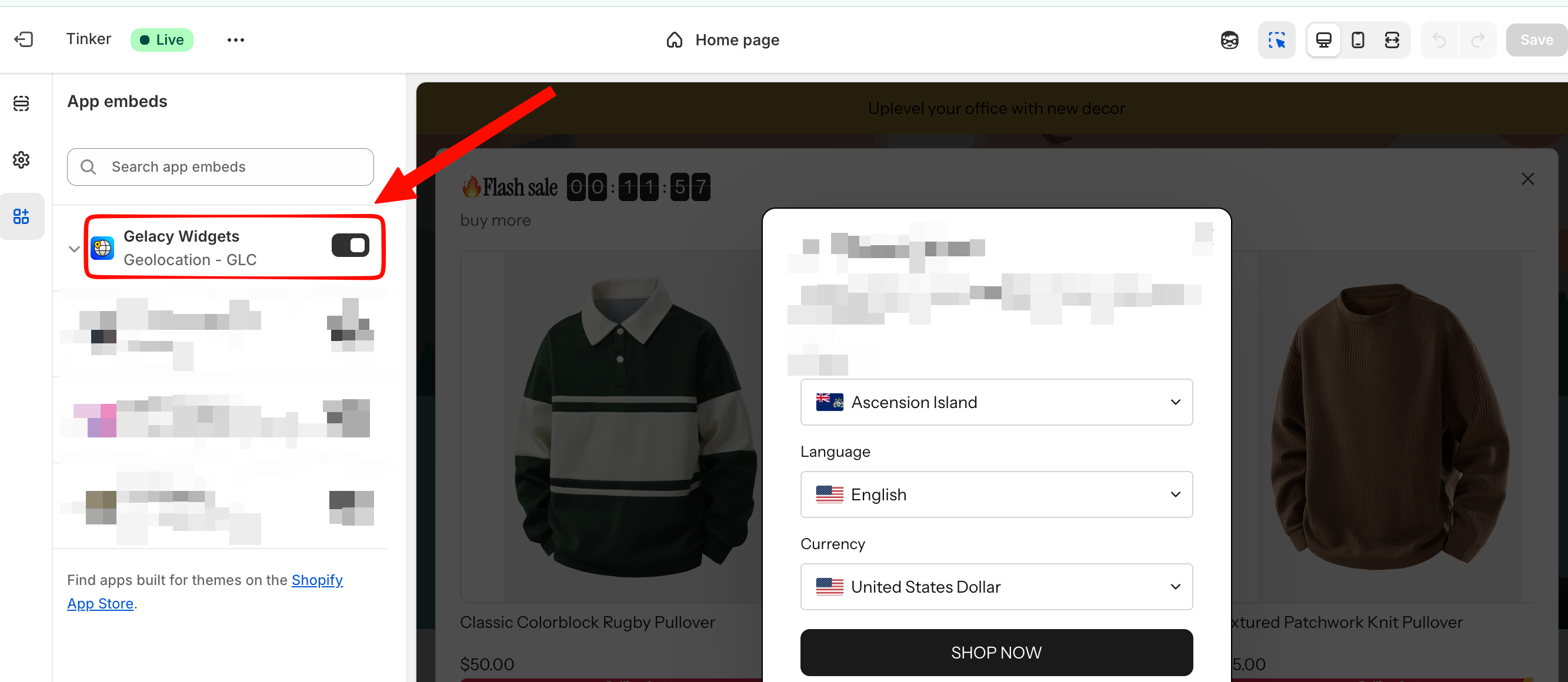
- In the theme editor, look for "App embeds" or a similar section (the exact name may vary depending on your theme).
- Ensure that the Gelacy app embed is enabled (the toggle switch should be turned on).
- Save your changes.
Step 3: Check Your Shopify Markets Configuration
If the currency selector is visible but currencies are not switching correctly, please verify that your Shopify Markets are configured properly.
- Go to Settings → Markets in your Shopify admin.
- Open the market you want to configure.
- Make sure the target countries are assigned to the correct market.
- Verify that the market supports the currencies you want to display.
Step 4: Understand Checkout Currency Behavior
Currently, Shopify's policy restricts third-party apps, like Gelacy, from integrating directly with the Checkout page. Because of this limitation, Gelacy cannot modify, control, or force currency conversion during checkout.
If you're not using Shopify Payments, the final price displayed at checkout will often reflect the store's primary currency, even if converted prices are displayed elsewhere on your storefront.
To ensure a consistent and converted price is displayed throughout the entire shopping journey, including the checkout page, consider using Shopify Payments. This integrated payment system allows you to set market-specific pricing directly within your Shopify admin. By tailoring prices to individual markets and using Shopify Payments, customers will see the correct currency from product pages all the way through order completion.
If you have questions or need help setting up, feel free to contact our support team at [email protected]