Why I did not see language on my Selector?
If you can't see the language on the Selector, please follow these steps:
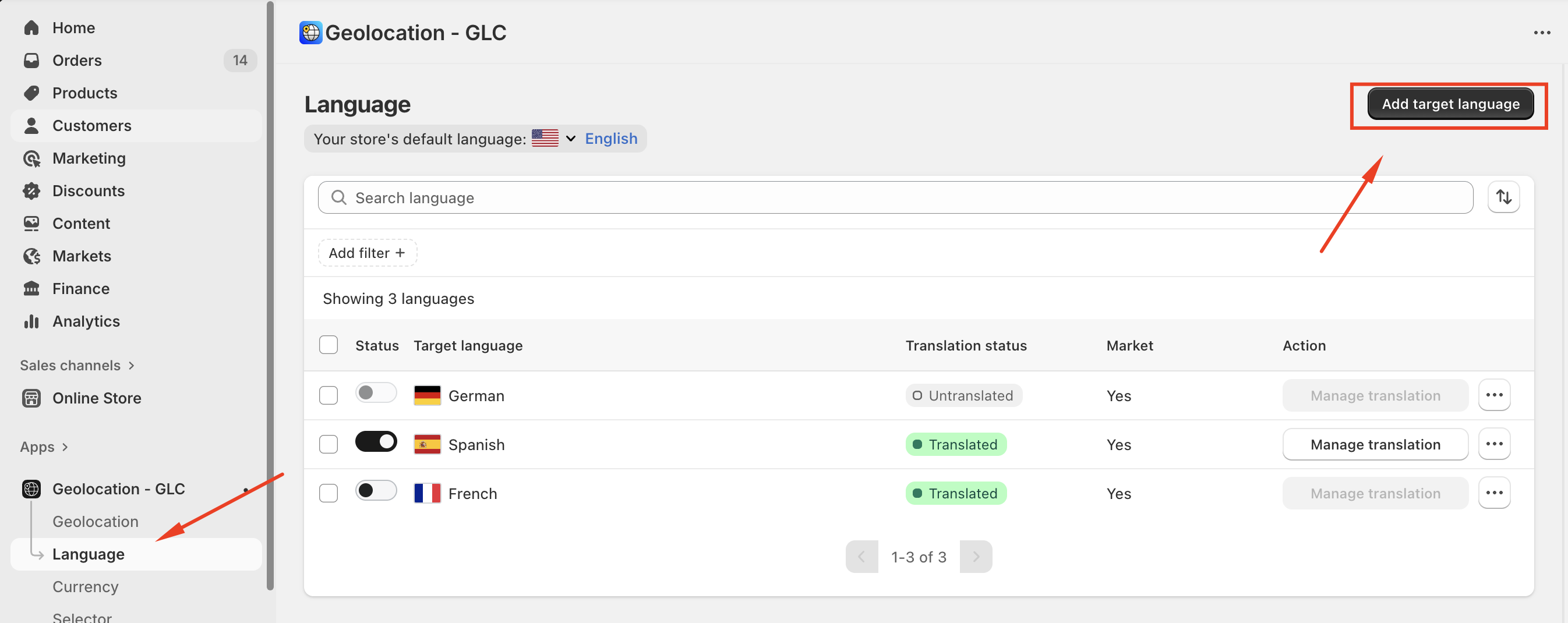
1. Add and Publish the Language in Gelacy
- Go to the "Language" menu in Gelacy.
- Click "Add languages" to make sure the language you're looking for has been added to Gelacy.
- Toggle the language to publish it.
2. Add the Language to the Market
- Go to the "Market" menu.
- Choose the market/domain you want to check.
- Click the "+" button to add languages.
- Click "Add more languages" to add your target languages to your market/domain.
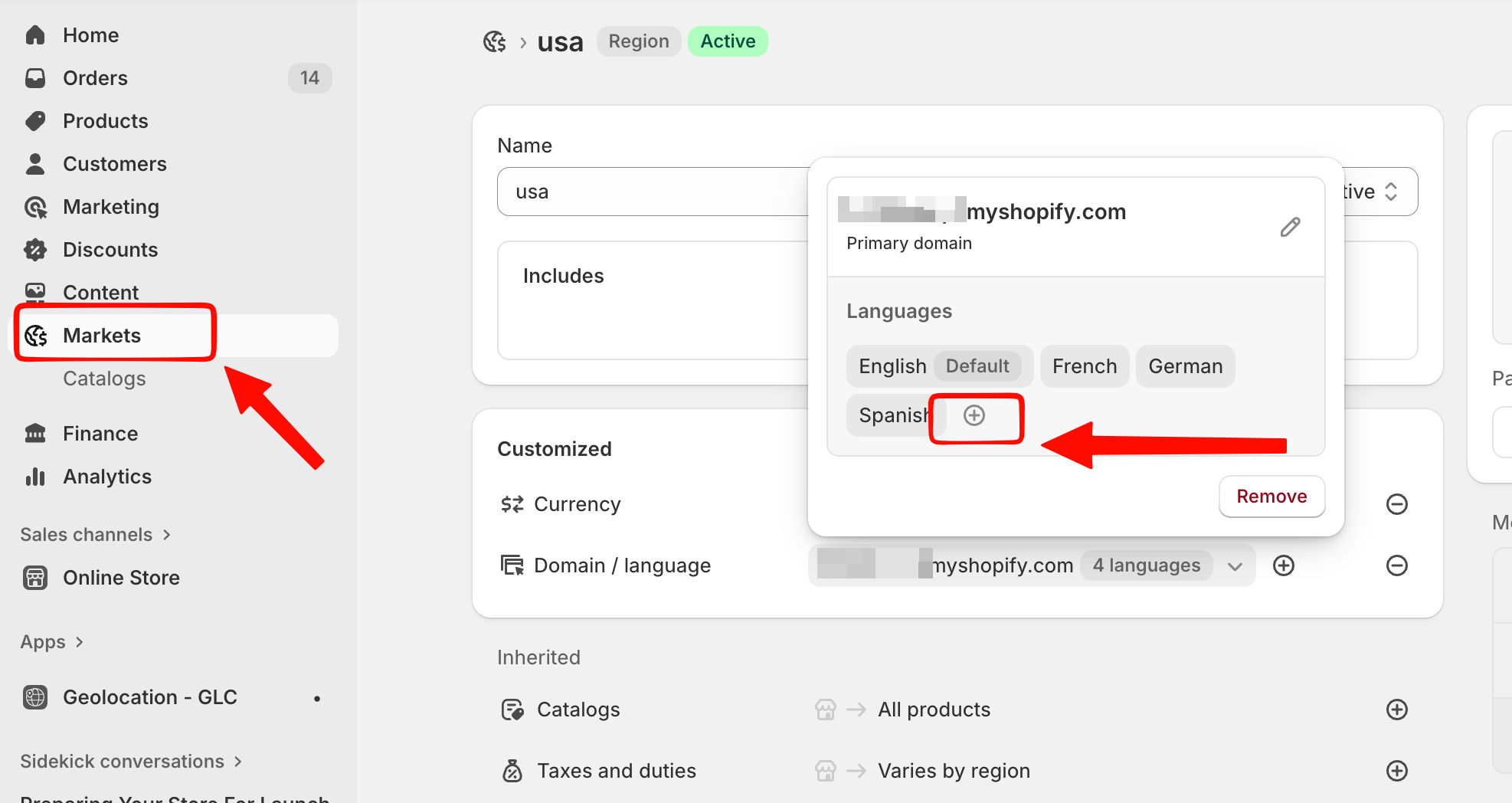
Please note: If multiple markets share the same domain setting as the Primary market/domain, any language you add to one market will automatically be added to all other markets using that domain.
Should you need further support, please feel free to email us at [email protected].